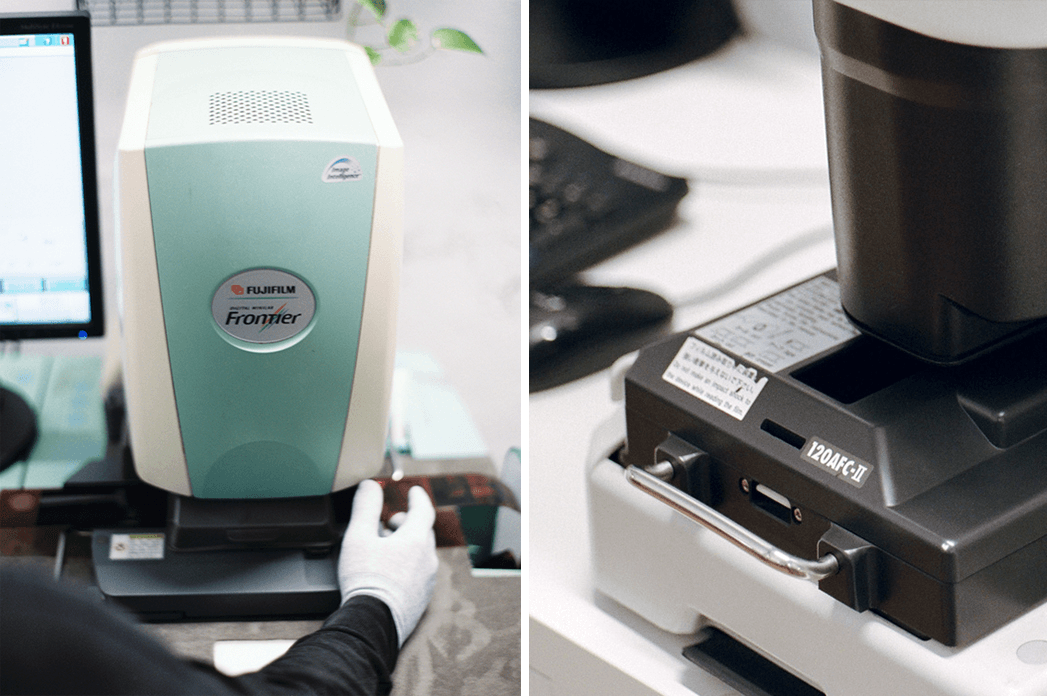
If you are choosing between a Fuji Frontier and a Noritsu scan, you are really choosing between two different defaults: Frontier usually looks punchier and more stylized out of the gate, while Noritsu tends to look more neutral, airy, and easier to grade.
Quick take: for color negative film, choose Frontier if you want richer blacks and a stronger baked-in look. Choose Noritsu if you want cleaner highlights, a more flexible base file, or a safer default for black-and-white and E-6.
Quick take
-
Color negative (C-41): Frontier tends to look punchier with richer blacks, cooler cyan shadows, and slightly golden skin tones. Noritsu is more neutral or "light and airy," with excellent highlight retention and softer contrast. Operator style can make either look neutral.
-
Black & white: Leading labs commonly prefer Noritsu for B&W because it yields a more neutral, flexible starting point; Frontier can compress shadows.
-
Slide (E-6): Noritsu is the safer default according to labs that run both, especially when color accuracy and highlight control matter more than a stylized palette.
-
Resolution & speed: Noritsu HS-1800 produces up to 4492×6774 px (35mm) and documents per format frame per hour throughput; LED light, USB 2.0, Digital ICE. Frontier SP-3000 “typical large” 35mm outputs are often ~5444×3649 px; some labs enable an “XXL” mode to 4096×6144 px depending on setup.
What photographers typically see in the scans
Frontier SP-3000 "look"
- Cooler shadows (cyan/blue), rich black point, punchier saturation; skin tones often read golden. Grain is smoothed by Frontier's algorithms; B&W may lose shadow detail. (Carmencita Film Lab)
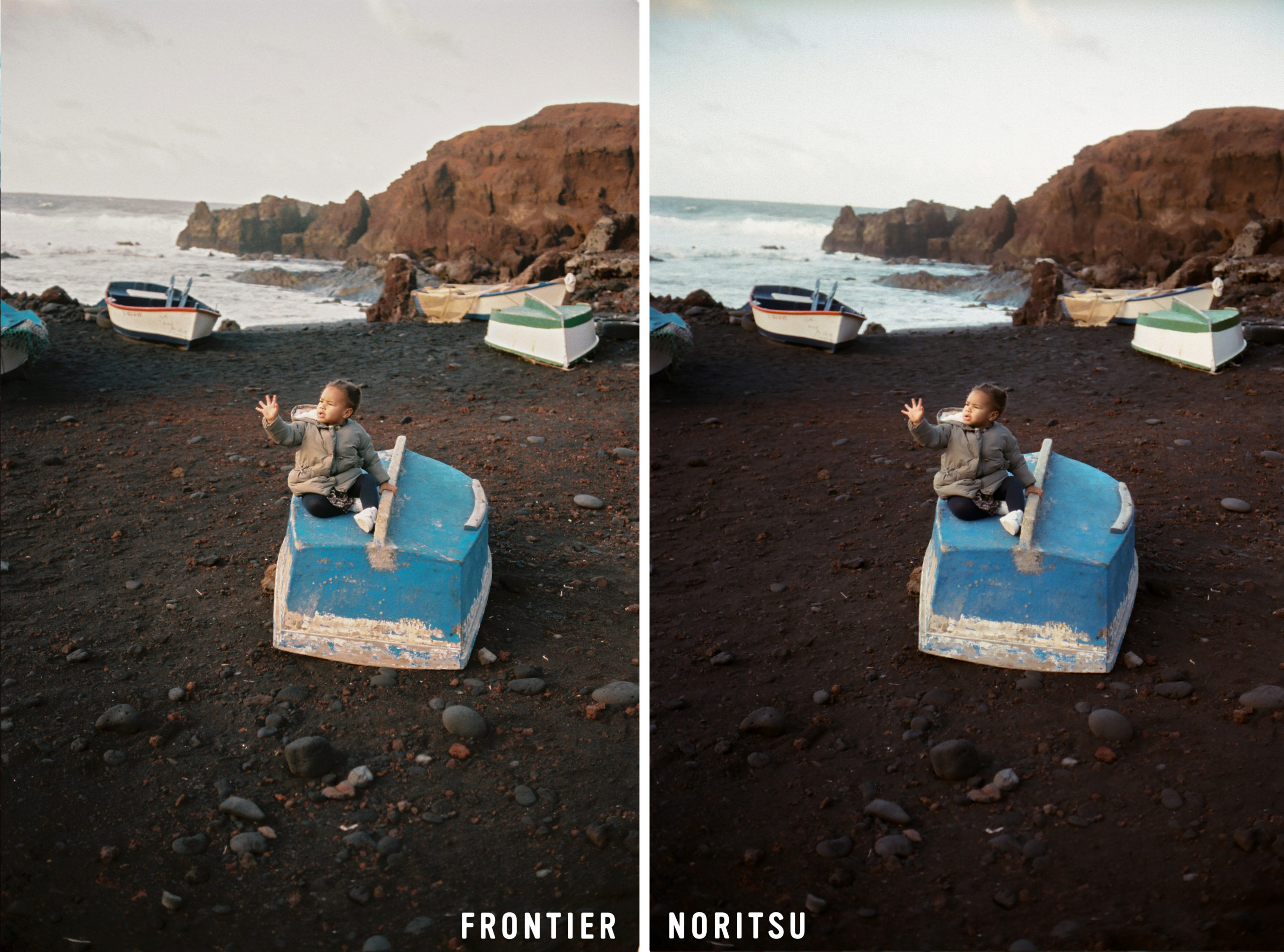
Image credit: Carmencita Film Lab
Noritsu HS-1800 "look"
- Warmer overall but flatter/softer contrast by default; strong highlight retention; skin can skew peach/pink. Grain is sharper and more apparent, especially at higher ISOs. (Carmencita Film Lab)
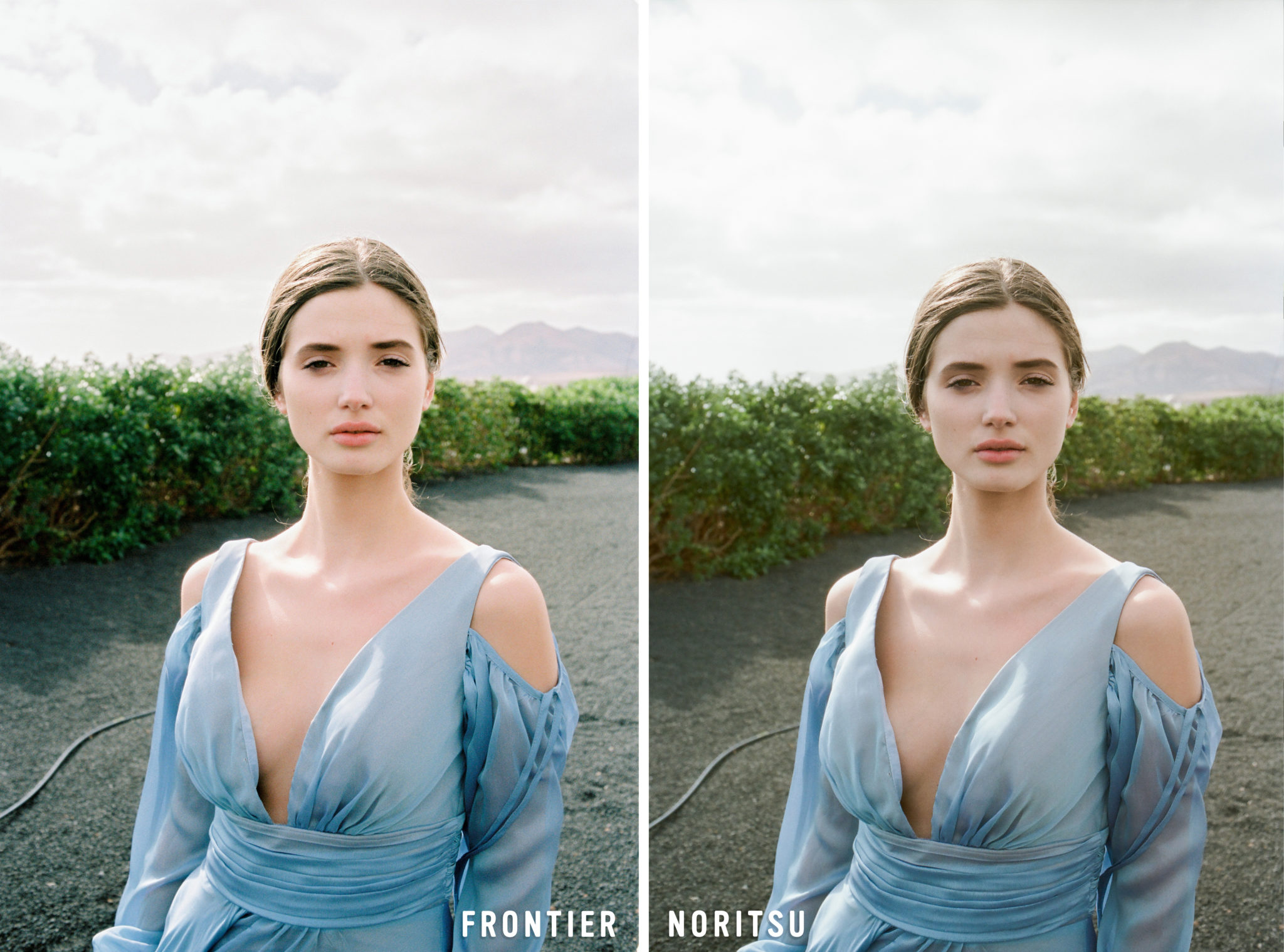
Image credit: Carmencita Film Lab
Important: Skilled operators can deliver neutral skin tones and matched contrast on either machine scanner is just one variable.
Output and technical notes
| Topic | Noritsu HS-1800 | Frontier SP-3000 |
|---|---|---|
| Max pixel dimensions (common lab settings) | 35mm up to 4492×6774; 6×4.5 up to 4824×3533 (official brochure). | “Large” 35mm files commonly ~5444×3649 (varies by lab). Some labs enable XXL 4096×6144 across formats. |
| Throughput | Frames-per-hour listed by format/resolution (e.g., 135 strip up to 2205 fph at min res; 327 fph at max res). | Tied to lab configuration; Frontier was designed for minilab workflows; speed varies by print-size linkage and setup. |
| Light source & I/O | LED light; USB 2.0 connection; Digital ICE; multiple carriers (135/240, 120, 110, etc.). | SP-3000 uses Frontier Workflow (MS01 + MS11) software stack; carriers for 35mm/120; Digital ICE; legacy/virtualized PC environment. |
Sources: Noritsu official brochure (resolutions, carriers, LED/USB, ICE, FPH). Frontier sizes from working lab service pages and XXL upgrade notes; Frontier software stack from MS01/MS11 manuals and install guides.
About “resolution”: Frontier’s delivered pixel size depends on configured “print size” and lab/software options, hence the variability you see between ~20 MP and ~25 MP outputs for 35mm. Noritsu publishes specific pixel matrices per format. Operator choices (and whether XXL modes exist) drive the differences you get from different labs.
Film-type guidance from labs that run both
-
Color negative: Frontier is a long-time favorite for portraits/weddings (punchy color, rich blacks). Noritsu offers more in-scanner control and strong highlight handling; many shooters prefer its neutral base for later grading.
-
Black & white: Noritsu is widely preferred; Richard Photo Lab scans B&W exclusively on Noritsu, and Carmencita notes Frontier’s contrast curve can bury shadow detail.
-
Slide (E-6): Carmencita: choose Noritsu every time for accuracy/efficiency; Frontier can work but usually takes more effort and ideal exposure.
Workflow and control
-
Operator control: FIND Lab shows Noritsu allows wider in-scanner adjustments (contrast, highlights/shadows), whereas Frontier offers fewer tweakable parameters. This is part of why Noritsu is often chosen for tough, contrasty scenes or underexposure.
-
Software & setup: Frontier SP-3000 typically runs MS01 + MS11 (Frontier Workflow + film scanner connection). Many setups are legacy (WinXP/Win7) and some labs virtualize the environment to keep systems maintainable.
-
Speed/throughput: Noritsu’s brochure documents per-format FPH; Frontier speed varies by configuration and the print-size linkage used to generate digital frames.
Grain and micro-contrast
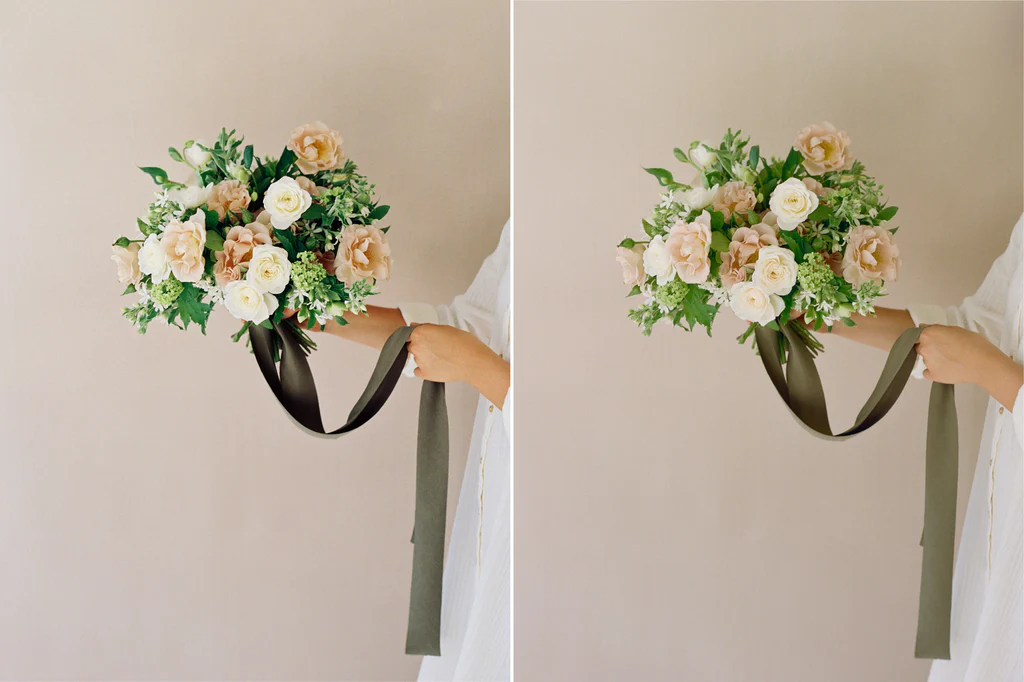
Image credit: Locust Collection (Left Frontier, Right Noritsu)
- Noritsu tends to render grain crisper and less chromatic; good if you want a clean, modern base and plan to grade in post. Frontier often smooths grain as part of the signature "creamy" look, and some photographers describe a subtle chromatic character in the grain that is hard to emulate digitally.
Choosing between them
- You like saturated color, rich blacks, and golden skin right out of the gate → Frontier.
- You want maximum highlight headroom, gentler contrast, and flexible files to grade → Noritsu.
- You’re sending B&W or slide (E-6) → Noritsu is the safer default per multiple labs.
- You need the highest documented 35mm pixel dimensions and predictable throughput → Noritsu HS-1800 (see brochure table).
- You specifically want the “classic Frontier palette” → Frontier SP-3000 (some labs offer XXL modes; ask first).
A few caveats
- Results vary by operator, software calibration, carriers, and lab preferences not just by scanner model. Always test a roll or two on both if you’re deciding for a long-term workflow.