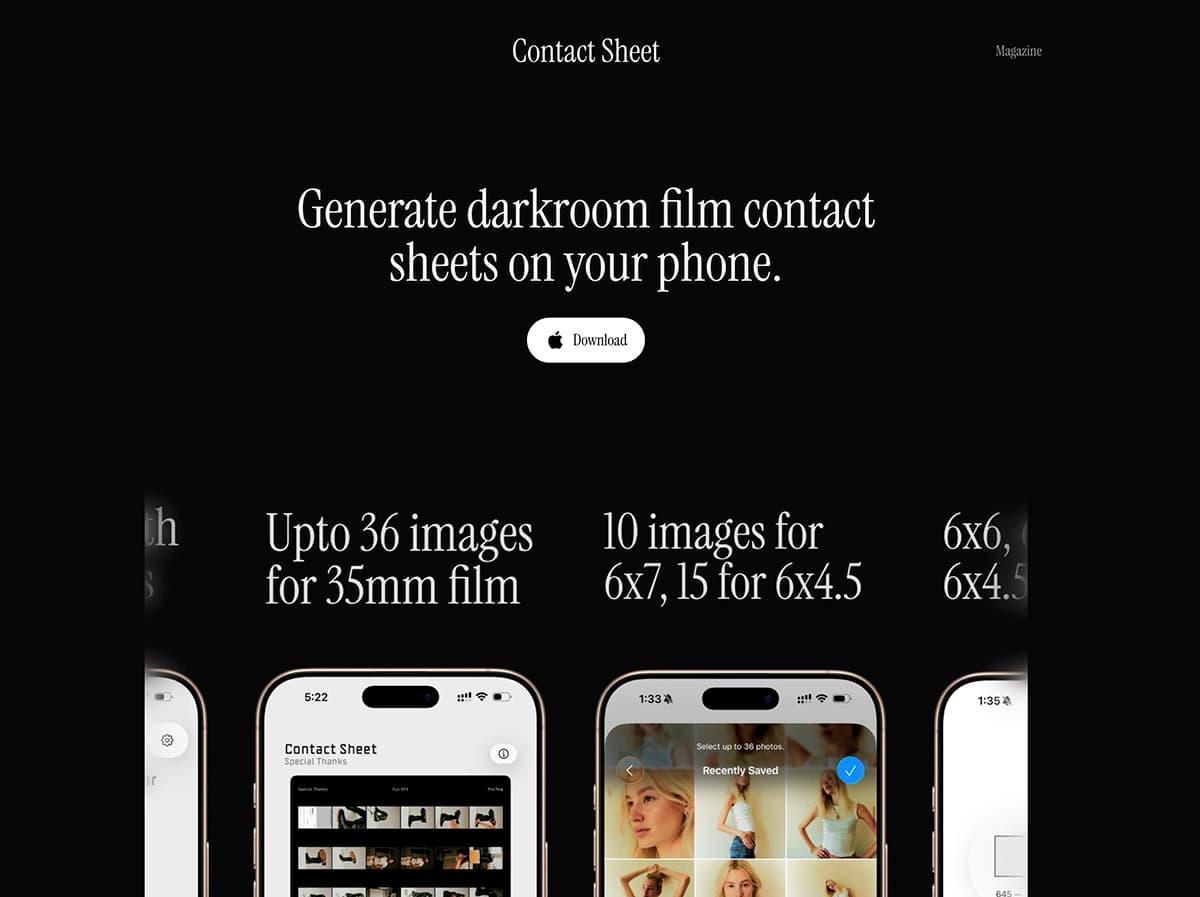
You're reading this on a website that was built with a simple idea: keep it fast, keep it readable, and don't get in the way of the content. What you see here, from the magazine articles to the smooth animations and dark aesthetic, is the result of a handful of deliberate technology choices. This article pulls back the curtain to show you how it all works in plain English.
Quick take: the site is intentionally simple. Markdown files hold the content, Next.js turns them into static pages, and a small set of custom components provides the motion and polish.
The foundation: Next.js
Think of a website as a house. You need a solid foundation before you add walls, windows, and furniture. For this site, that foundation is Next.js a framework built on top of React, which is one of the most popular ways to build interactive websites today.
What makes Next.js special? It handles the boring but critical stuff automatically:
- Fast loading: Pages are pre-built so they appear instantly when you visit
- Smart image handling: Photos load quickly and look sharp on any screen size
- SEO-friendly: Search engines can easily understand and index the content
It handles the boring infrastructure so I can focus on the content.
Writing articles: markdown files
Every article you read in this magazine, including this one, doesn't live in a database. Instead, each article is just a plain text file written in markdown, a simple formatting language that's been around since 2004.
Markdown lets you write naturally while adding basic formatting. For example:
**bold text**becomes bold text# Headingbecomes a heading[link text](url)becomes a clickable link
Each article file starts with a bit of metadata (called "frontmatter") that looks like this:
---
title: "How This Website Was Built"
date: "2025-11-12"
author: "Sambit Biswas"
excerpt: "A friendly walkthrough..."
coverImage: "https://example.com/image.jpg"
---
This tells the website what to display in article previews, how to sort articles by date, and which image to show as a cover.
Why markdown? Because it's simple, portable, and future-proof. You can open these files in any text editor, move them between systems, and they'll still work in twenty years. No proprietary database, no complex CMS just files and folders.
I'm also very interested in 11ty (a static site generator based on Node.js) as an alternative approach. It works beautifully with markdown-based magazines and offers the same portability benefits: just files and folders that can be deployed anywhere.
The design system: Tailwind CSS
Styling a website traditionally meant writing lots of custom CSS code, which could get messy quickly. I use Tailwind CSS, which takes a different approach: instead of writing custom styles, you compose designs using small, reusable utility classes.
Here's a concrete example. To make a button with rounded corners, padding, and a hover effect, you might write:
<button class="rounded px-4 py-2 bg-white hover:bg-gray-100">
  Download
</button>
Each class does one thing: rounded adds rounded corners, px-4 adds horizontal padding, hover:bg-gray-100 changes the background on hover. It's like building with LEGO blocks small pieces that snap together to create something larger.
The result? A consistent design language across the entire site. Every button, card, and spacing feels intentional because we're drawing from the same set of building blocks.
The dark theme
You might notice this site has a moody, dark aesthetic. That's not just for looks it's easier on the eyes when you're reading longer articles, and it puts the focus on the photography we showcase.
The color palette is deliberately minimal:
- Background: A very dark gray (
#0c0c0c) - Text: Near white (
#f1f0f0) - Accents: Subtle grays with occasional green highlights for prices
The magazine: how articles come to life
When you click on an article, here's what happens behind the scenes:
-
The request arrives: Your browser asks for
/magazine/how-this-website-was-built -
The file is found: The system looks for a markdown file called
how-this-website-was-built.mdin the content folder -
Markdown becomes HTML: A tool called remark reads the markdown and converts it to HTML, understanding GitHub-flavored markdown features like tables and strikethrough text
-
Metadata is extracted: The frontmatter (title, date, author, etc.) is pulled out using a library called gray-matter
-
The page is assembled: The HTML content is wrapped in our design template with the header, navigation, and styling
-
Enhancement happens: A client-side component scans the rendered article and adds helpful features:
- All prices get highlighted in green so they catch your eye
- External links automatically open in new tabs
The beauty of this system? It all happens at build time (before you even visit), so the page loads instantly. No database queries, no waiting just fast, pre-rendered HTML.
The homepage carousel
On the homepage, you'll see a continuously scrolling carousel of app screenshots. This isn't just eye candy it's a custom-built component that demonstrates what the app can do.
Here's how it works:
- Infinite scroll: The images loop seamlessly, creating the illusion of an endless strip
- Pause on hover: Move your mouse over it, and it pauses so you can study the details
- Respects preferences: If you've told your device you prefer reduced motion, the carousel respects that and stays calm
I built this using React hooks and CSS transforms, no heavy third-party library needed.
Animation
Throughout the site, you'll notice elements that fade in as you scroll. These use a library called framer-motion.
For example, articles fade in with a slight upward slide:
<FadeIn delay={0.2}>
  <ArticleCard />
</FadeIn>
The delay prop staggers the animation slightly, so multiple items feel choreographed rather than appearing all at once. It's a small detail, but these micro-interactions make the site feel more responsive and alive.
Typography
You might not consciously notice the fonts, but they're doing heavy lifting. The whole site, magazine included, is set in Nunito, a rounded sans-serif that stays friendly at display sizes and easy to read in long articles. Headings use its bold weight, and article text gets a generous size and line height for comfortable reading on the dark background.
The font comes from Google Fonts, but it isn't loaded from Google's servers. Next.js downloads it at build time and serves it from this site, so there's no third-party request, and the fallback font is sized to match so the page barely shifts when Nunito arrives. It uses font-display: swap, which means you see text immediately in a fallback font, then it smoothly switches to Nunito once loaded.
Images
Every image on this site from article covers to in-body photos goes through Next.js's image optimization pipeline. This means:
- Responsive sizing: The browser downloads only the size it needs for your screen
- Modern formats: When supported, images are served in newer, more efficient formats like WebP
- Lazy loading: Images below the fold don't load until you scroll near them
We've also configured specific domains that are allowed to serve images—mostly photography archives and our own app assets. This security measure ensures we don't accidentally load malicious content.
How new articles get published
Here's the process from idea to publication:
- Write the article in markdown in any text editor
- Add frontmatter with title, date, author, and excerpt
- Save the file to the
/content/magazine/folder - Push to git: The file gets committed to version control
- Deploy: the hosting platform detects the change, rebuilds the site, and deploys it automatically, usually in under a minute
No complex publishing workflow, no admin panel, no "publishing" button. Just write, save, commit.
The magazine index
The magazine homepage (at /magazine) shows all articles as cards. Here's what makes it work:
- Automatic sorting: Articles are sorted by date, newest first
- Metadata from frontmatter: Each card shows the title, excerpt, author, and date
- Cover images: If an article has a cover image, it's displayed with a subtle zoom effect on hover
- Semantic dates: Dates are formatted in a human-readable way (e.g., "November 12, 2025")
All of this happens server-side, which means the page is fully rendered and SEO-friendly when search engines crawl it.
Performance
Speed isn't just nice to have it's essential. Here's what we optimize for:
- First Contentful Paint: How quickly something appears on screen (aim: under 1 second)
- Time to Interactive: How quickly the page becomes fully usable (aim: under 2 seconds)
- Bundle size: How much JavaScript the browser has to download (keep it minimal)
We achieve this through:
- Static generation: Most pages are pre-built at deploy time
- Code splitting: Only load JavaScript for the features you're using
- Tree shaking: Remove unused code from the final bundle
- Font optimization: Fonts are loaded efficiently with minimal flash
Deployment
I currently host on Vercel, with the project also configured for Netlify. The workflow is automatic:
- Code changes are pushed to GitHub
- The hosting platform detects the change and triggers a build
- The site is built, optimized, and deployed to a global CDN
- The new version goes live at
https://contactsheet.app
The entire process takes about 60 seconds. And because the site is distributed across a CDN (content delivery network), it loads fast no matter where in the world you're viewing from.
Analytics
I use Umami, a privacy-focused analytics tool, to understand how people interact with the site. Unlike Google Analytics, Umami doesn't track individuals or use cookies. It just gives aggregate data like:
- Which articles are most popular
- Where visitors are coming from
- Which devices and browsers are most common
This helps us understand what's working and what could be improved, without compromising anyone's privacy.
What I deliberately didn't build
Just as important as what we included is what we left out:
- No user accounts: You don't need to log in to read articles
- No comments system: We want the focus on the content
- No ads or tracking: Clean, distraction-free reading
- No complex CMS: No WordPress, no admin dashboard just markdown files
- No database: Everything is file-based, which makes it simpler and more portable
Future plans
Technology is a moving target. Here are some things on the horizon:
- Search functionality: Let readers search across all articles
- Newsletter integration: Optional email updates for new articles
- Dark/light mode toggle: Let readers choose their preferred theme
- Enhanced typography: Maybe add drop caps or pull quotes for longer articles
The tech stack at a glance
Here's the full list of key technologies, for anyone who wants to dig deeper:
- Framework: Next.js 15 with React 18
- Language: TypeScript (JavaScript with type safety)
- Styling: Tailwind CSS with custom dark theme
- Content: Markdown files with YAML frontmatter
- Markdown processing: remark + remark-gfm + remark-html
- Animation: framer-motion + CSS transforms
- Deployment: Vercel in production, with Netlify configuration available
- Analytics: Umami (privacy-focused)
- Version control: Git + GitHub
AI-assisted development
This website was coded with the assistance of AI coding assistants: Claude Code, OpenAI Codex, Kilo Code, and OpenCode.
It's important to note that this wasn't "vibe coded." I researched various web frameworks and tested 2-3 alternatives, including Vite, Vue, and static HTML, before choosing the current tech stack. The fonts, UI design, buttons, and overall tone were all deliberate choices made after evaluating multiple options.
The AI assistants helped with implementation details, code structure, and bringing the vision to life, but the strategic decisions about what to build and how it should look came from research, testing, and iteration.
Wrapping up
This website exists to share stories about contact sheets and film photography. The tech choices (markdown files, fast builds, dark mode, subtle animations) all serve that goal. You don't need to understand any of it to enjoy the articles. But if you're thinking about building something similar, hopefully this gives you a useful starting point.
Want to build something similar?
If this article inspired you to build your own site, here are some resources to get started:
- Next.js documentation: nextjs.org/docs
- Tailwind CSS: tailwindcss.com
- Markdown guide: markdownguide.org
- Vercel deployment: vercel.com/docs
- Netlify deployment: netlify.com/docs
- Framer Motion: framer.com/motion
If you have questions about how something specific was built, feel free to reach out.